
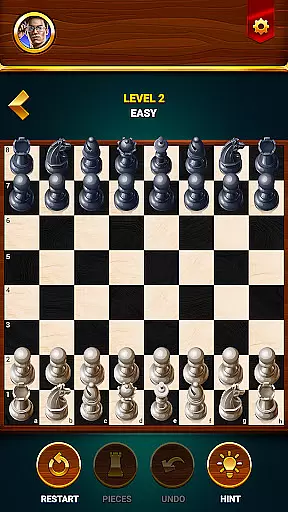


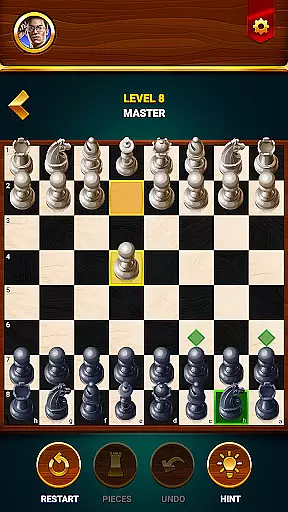


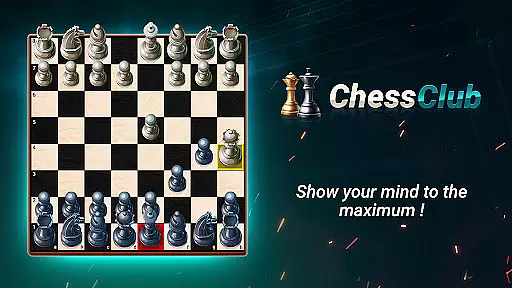














Chess - Offline Board Game is a premier chess application designed for players of all skill levels, from beginners to seasoned experts. The app offers unlimited free games in both 2D and 3D formats, allowing users to challenge computer opponents or engage in two-player matches with friends. With features like daily puzzles, interactive lessons, and strategic tips, this app helps players develop their skills while sharpening their minds. Whether you're honing your strategies or competing in events to win rewards, Chess Club provides an immersive experience that enhances logical thinking and problem-solving abilities.
This offline chess game stands out by offering customizable difficulty levels, hints, undo options, and detailed statistics to track progress. Its user-friendly interface supports multiple language preferences, making it accessible to a global audience. By combining classic gameplay with modern tools, Chess Club ensures an engaging and educational experience for anyone looking to enjoy the timeless game of chess.
Chess - Offline Board Game boasts a wide array of features tailored to enhance the chess-playing experience. One standout feature is its adaptive AI opponent system, which allows players to select difficulty levels ranging from beginner to grandmaster. This flexibility ensures that users can continually challenge themselves as they improve their skills. Additionally, the app includes a two-player mode where friends can compete directly, fostering social interaction even when offline.
Beyond traditional gameplay, the app incorporates daily chess puzzles and tactical exercises designed to refine strategic thinking. Interactive lessons guide users through fundamental rules, advanced techniques, and special moves, providing step-by-step learning. Players also benefit from practical tools such as move hints, undo functionality, and restart options, ensuring a frustration-free experience. With comprehensive statistics tracking wins, losses, and draws, users can monitor their growth over time. These robust features make Chess Club not just a game but a complete learning platform for chess enthusiasts.
Authenticity and flexibility in chess rules are crucial for both casual and serious players. Chess - Offline Board Game ensures that all traditional chess rules are accurately implemented, providing a genuine experience akin to playing on a physical board. This adherence to rule authenticity allows players to seamlessly transition between digital and real-world chess games without having to adjust to different interpretations of the rules.
Beyond just sticking to the standard regulations, this app also offers flexible options that enhance gameplay. Players can choose between 2D or 3D game modes, select various levels of computer opponents, and even engage in two-player mode with friends. These features provide a versatile environment where users can tailor their gaming experience according to their preferences while still maintaining the integrity of chess fundamentals.
The availability of hints, undo moves, and restart options further exemplifies the balance between rule authenticity and user-friendly flexibility. Such features not only make the game more accessible to beginners but also offer seasoned players the chance to experiment with new strategies without fear of irreversible mistakes. By integrating these elements, Chess - Offline Board Game caters to a wide audience ranging from novices learning the basics to experts honing advanced tactics.
Ultimately, the combination of strict adherence to chess rules and adaptable gameplay settings ensures that users gain an enriching experience. Whether you're looking to practice classic strategies or explore creative approaches within the confines of official guidelines, this app provides a comprehensive platform that respects the timeless nature of chess while embracing modern enhancements.
The quality of AI opponents in chess applications significantly impacts the user's experience and growth as a player. Chess - Offline Board Game excels in this area by offering a range of computer opponents with varying skill levels, from beginner to grandmaster. This diversity ensures that players of all abilities can find suitable challenges, allowing them to progressively improve their skills over time.
Advanced algorithms drive the AI's decision-making process, ensuring realistic and strategic gameplay. The AI analyzes potential moves using sophisticated evaluation techniques, mimicking human-like thinking patterns. As a result, each match feels unique and engaging, pushing players to think critically and adapt their strategies dynamically throughout the game.
In addition to providing challenging matches, the AI also supports learning through its hint system. When activated, hints guide players towards optimal moves based on the current board state, helping them understand complex positions and develop better tactical awareness. This educational aspect enhances the overall value of the app, making it not just a gaming platform but also a tool for skill development.
By combining high-quality AI opponents with supportive learning features, Chess - Offline Board Game creates an immersive environment where users can enjoy competitive matches while continuously improving their chess abilities. Whether you're seeking intense battles against formidable foes or gentle guidance during your learning journey, this app delivers a well-rounded and satisfying chess experience.
User-friendly interface
Customizable difficulty levels
Daily practice puzzles
Interactive learning tutorials
Offline multiplayer support
Limited advanced analytics
No live online matches
Premium content requires purchase
Occasional ads in free version
Graphics could be more polished

Take command and turn your faction into the most powerful in all of Europa!
 3.80
3.80
A strategic boardgame of galactic expansion. Develop and settle outer space!
4.10
Addictive, challenging and beautiful - test yourself in this ancient game!
4.30
Best Dice Game with Friends!
4.80
Dominoes online! Classic board games - Fives, Threes, Block and Draw Dominos!
4.40
Sharpen your mind and relax with Classic Spider Solitaire! Offline card games!
4.80
The deck-building board game adventure !
4.70
The legendary naval combat game sails onto mobile and tablet.
3.50
Play logic numbers match - Test your IQ with cross math, woody Block Puzzle game
4.90
Domino Frenzy - Tile board game.
4.70
Relive your favourite childhood game, now on mobile and tablet.
4.60
Large Numbers Coloring Book for Seniors. Color by number for zen and relax.
4.60
Shredder, the chess world champion. Play and learn chess.
4.50
online interactive board games
4.50
Lead your mages to victory in this deck building game with a twist!
4.30
The popular roll & write game by Paolo Mori
3.90
Lords of Waterdeep is a strategy board game, set in the D&D world of Waterdeep.
3.80
Retro pixel art mahjong solitaire with handcrafted boards and timeless gameplay
4.5
Pick a Theme, Play the Game
4.3


User Reviews